Thursday, November 19, 2015

Review: ReadThinkWrite


Read Think Write is an amazing software program that is recommended by my course textbook. Not only is it FREE to use, but it provides so many great resources for parents, teachers, and students! This website is beneficial for students with a reading/writing disability. The software provides various lesson plans for teachers to focus on specific writing strategies. The website itself is really easy to use and navigate and you can scroll through so many different ideas to use in the classroom! They have so many different fun interactive ideas that it will make writing easier! For example, students can construct a real cube by listing key elements of a person for a biography or autobiography on each side of the cube. This website helps to bring fun and engagement into the writing process. It helps students with prewriting, writing, creating poems, and so much more! Having these interactive and fun activities will bring more creativeness and organization for students when they begin to write!

Here is a video that i have found about using this website:

Review: Inspiration Software


The textbook that we are using for my assistive technology course, Assistive Technology in the Classroom by Amy G. Dell, Deborah A. Newton and Jerry G. Petroff, provides really great resources for assistive technology. One resource that it recommends for graphic organizers is Inspiration software. This resource provides great ways to reach visual learners using graphic organizers, outlines, plots and graphs, and mapping. Inspiration gives students the tools to analyze, interpret, illustrate, and present complex concepts more clearly. The Inspiration 9 software cost $9.99 and is designed for students grades 6- adult.  Inspire Data is designed for students grades 4-12.  Webspiration classroom does not provide a grade level.  Inspiration Maps does not provide a grade level.  The Kidspiration 3 is a software for kids that helps them understand words, numbers and concepts by visual representation. There is a free 30-day trial available to try out this software! Below are some examples of what you can create using this software:

Information found in : Assistive Technology In the Classroom: Enhancing the School Experiences of Students with Disabilities, Second Edition 2012 by Amy G. Dell, Deborah A. Newton, Jerry G. Petroff,  Pearson, ISBN 10: 0-13-139040-6 or ISBN 13: 978-0-13-139040-9.

Past Event Cards

Another great assistive technology to use with students with Autism Spectrum Disorder (ASD) is past event cards. Past event cards are a visual representation of daily activities completed which helps students to show and remember what they have done. Students with ASD often have difficulty relating past events, so having a visual representation and a place to look back on the tasks significantly helps with this aspect. These cards also can help bridge the gap between home and school by providing information about what is being done in school for the parents and what is being done at home for the teachers. Past event cards are often created using a general template, which is easily circled or filled in by the student. These cards are then returned to their respective places (school or home). Below is an example of a past event card. Each card should be tailored to the student. 


Choice Cards


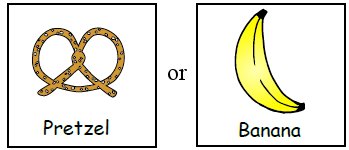
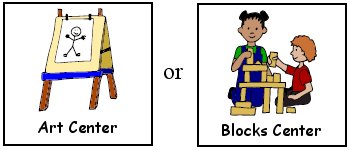
Choice cards are picture cards that often contain two or more items for students to choose from. The pictures or choices are predetermined by the teacher for the students to choose from. These are used for a wide range of activities and tasks such as a choice of snack, break time activity, or which task to complete first. These allow students with ASD or other disorders to communicate their wants and needs with the teacher. These also reduce negative reactions and behaviors due to the fact that the child feels as though they were allowed to choose to do what they want to. Below are some examples of choice cards.


Break Cards


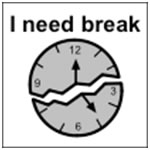
Break cards are a visual support that are used by students to communicate that they are in need of some time away from an activity or task. Often students with ASD can experience frustration or anxiety during an activity, which can lead to challenging behaviors. These cards are a great, non-disruptive way for these students to communicate their needs and take the necessary time they need in order to perform in the classroom. Below are some examples of break cards that you can use in your classroom.


ASD and Expressive Communication


One very important thing to keep in mind when teaching students with an Autism Spectrum Disorder (ASD), is that one of the main characteristics that this populations shares is with having challenges with expressive communication. Expressive communication refers to how children express their needs, wants, and feelings to others, either nonverbally or verbally. Students with ASD often have many challenges in communicating their wants and needs with their families, teachers, and caregivers. Difficulty with expressive communication also effects this population’s social interaction and communication with their peers. There are a variety of ways that teachers and caregivers can help these students with poor expressive communication skills. In the following posts I will be providing examples of a variety of low-tech assistive technologies that can be used for this purpose.